Netsol IT Solution Pvt. Ltd.
Smart CRM for Growing Businesses

Stop Managing Leads, Follow-ups & Orders Manually.

Bring every enquiry, follow-up, quotation, order, payment, dispatch and customer interaction into one powerful CRM.
Automatically capture leads from IndiaMART, TradeIndia, Justdial, your website and other sources — assign them to your team and track every opportunity until closure.

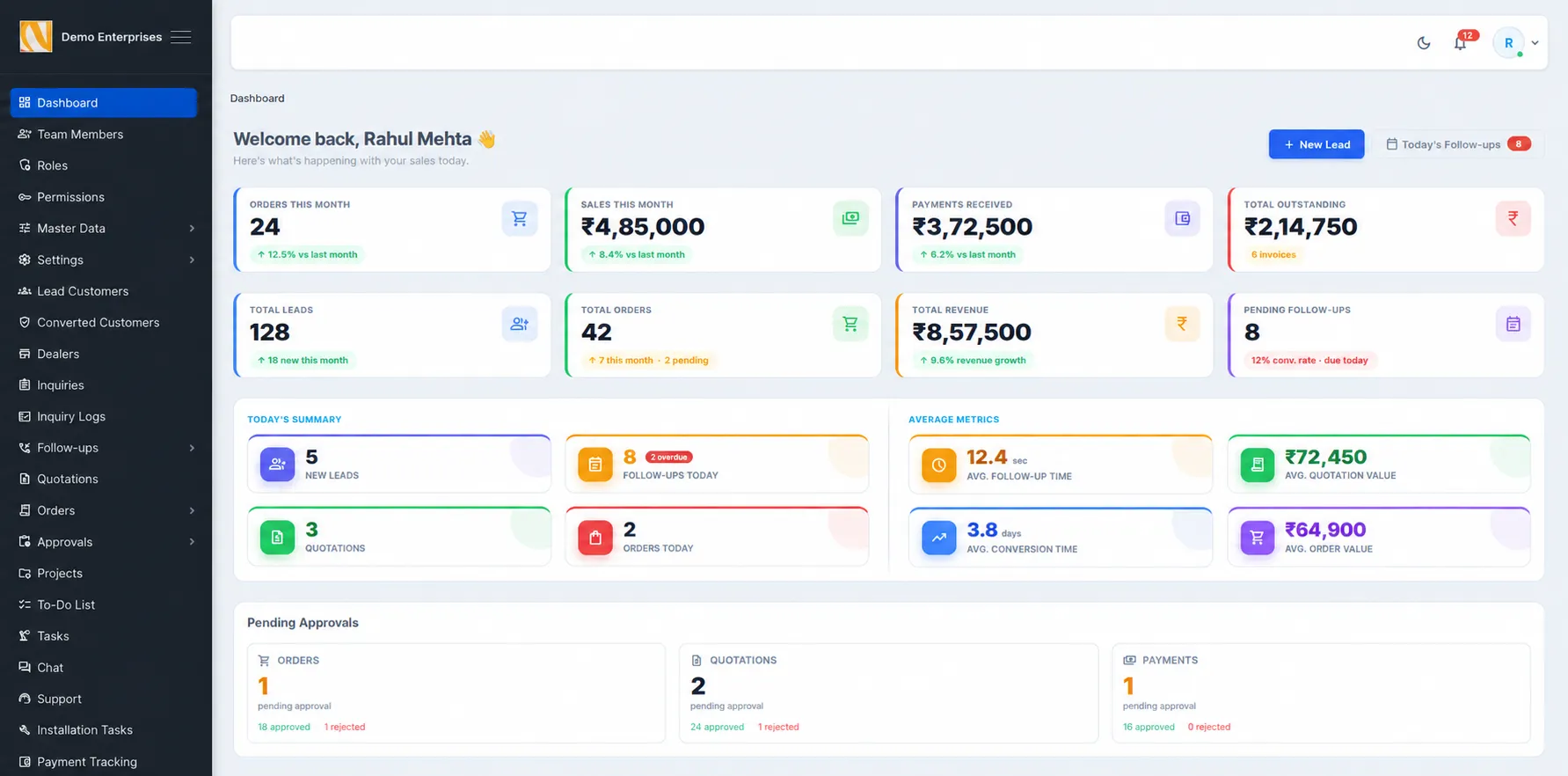
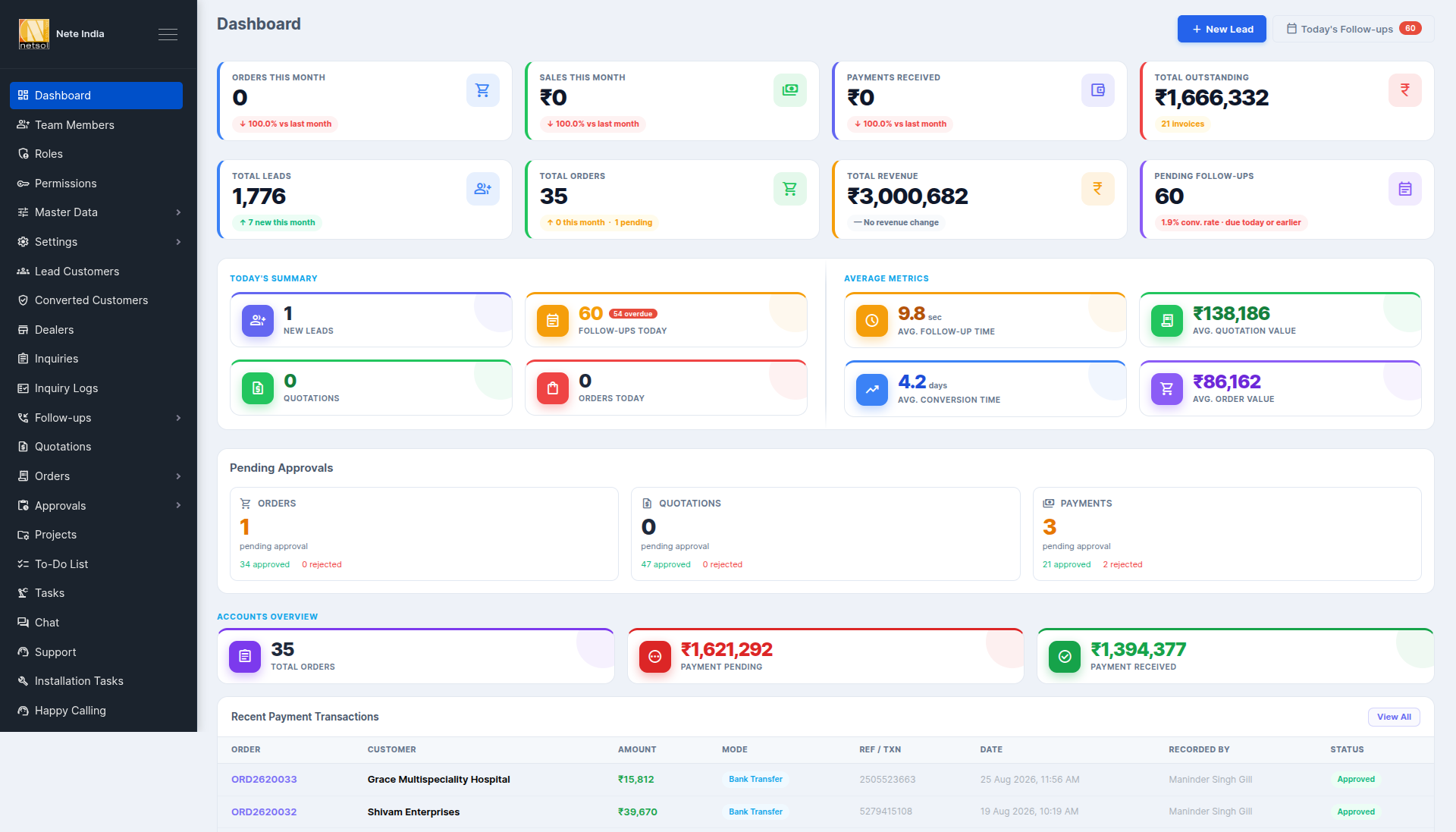
NETSOL CRM — Admin Dashboard
NETSOL CRM admin dashboard preview
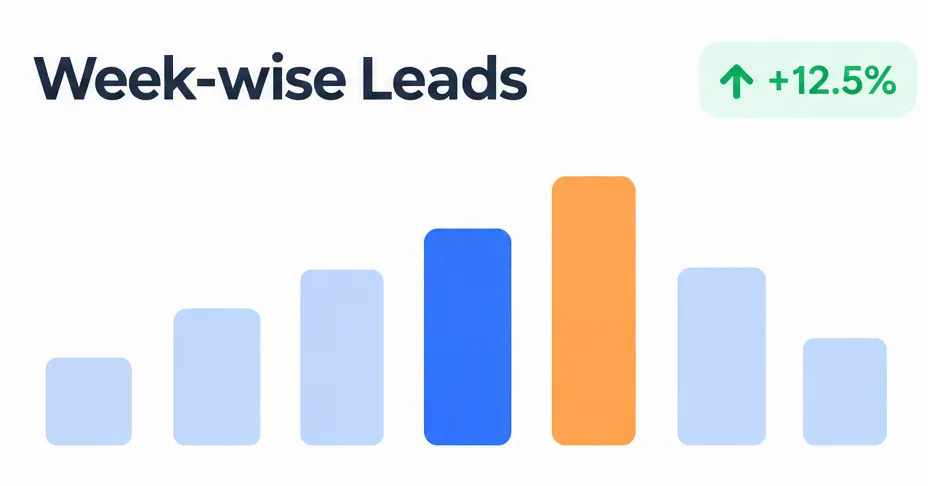
1,248 ▲ 12%
Total Leads
Week-wise leads
Live

Is Your Business Still Running Like This?

Most growing businesses hit the same wall more enquiries than the team can track, and no single place to see what's happening.

Leads Scattered Everywhere

IndiaMART, TradeIndia, WhatsApp, website and phone enquiries are handled separately.

Manual Excel Entry

Your team spends valuable time copying enquiries into spreadsheets.

QR Code Check-In

Generate secure QR-based visitor passes for fast, contactless check-in and effortless visitor verification at the reception.

Follow-ups Get Missed

Potential customers are lost because nobody followed up at the right time.

No Sales Visibility

Management doesn't know which leads are active, pending or lost.

Too Many WhatsApp Updates

Employees depend on WhatsApp groups and calls to communicate order status.

Manual Approval Process

Quotation, discount, order and payment approvals take unnecessary time.

No Department Coordination

Sales, accounts, operations, dispatch and installation teams work separately.

What Is Netsol CRM?

Netsol CRM is a complete business management system that helps you capture enquiries, manage follow-ups, prepare quotations, process orders and track customer relationships from one connected platform.

It replaces scattered Excel sheets, WhatsApp conversations and manual updates with a structured system designed around your sales and operations.

Manual Process vs Netsol CRM

Feature Excel & WhatsApp Basic CRM Netsol CRM
Lead CaptureManual entryForm-based captureAutomatic multi-source capture
Lead AssignmentNot availableBasic assignmentRule-based salesperson assignment
Follow-up ManagementDepends on memoryTask remindersAutomated reminders and overdue alerts
Quotation ManagementPrepared manuallyBasic quotationsProducts, pricing, discounts and PDF quotations
Approval WorkflowManual approvalsLimited workflowCustom approval hierarchy
Order TrackingSeparate files and callsBasic order recordsComplete order and fulfilment tracking
Payment TrackingScattered recordsManual updatesPayment status and pending payment tracking
Customer HistoryDifficult to findPartial historyComplete customer timeline
Team VisibilityLimited visibilityBasic reportsReal-time dashboard and performance reports
Branch ManagementSeparate dataLimited supportCentralised multi-branch management
Automatic Lead Capture

Every Enquiry. One CRM. Zero Manual Entry.

When a new enquiry arrives, Netsol CRM can capture it centrally, create the lead, identify the source and make it available to the right sales team.

IndiaMART
TradeIndia
Justdial
Website
WhatsApp
Meta & Google Leads
NETSOL CRMCentral Lead Engine
NEW LEAD
Company
ABC Engineering
Contact
Rajesh Patel
Source
IndiaMART
Requirement
Industrial Machine
Assigned To
Rahul (Sales)
Status
New Lead
Automate My Leads

Lead Management

Never Lose a Sales Opportunity Again

Every lead - its source, owner, priority and next action - sits in one inbox instead of scattered chats and sheets.

Centralized Lead Inbox
Lead Source Tracking
Automatic Lead Assignment
Salesperson Assignment
Lead Priority
Lead Stage
Follow-up Date
Follow-up Reminders
Notes & Activity
Notes & Activity
Communication History
Lost Lead Reason
Lead Conversion Tracking
New Lead
Contacted
Requirement
Quotation
Negotiation
Won
Lost
Your Sales Team Knows Exactly Who to Call Today.

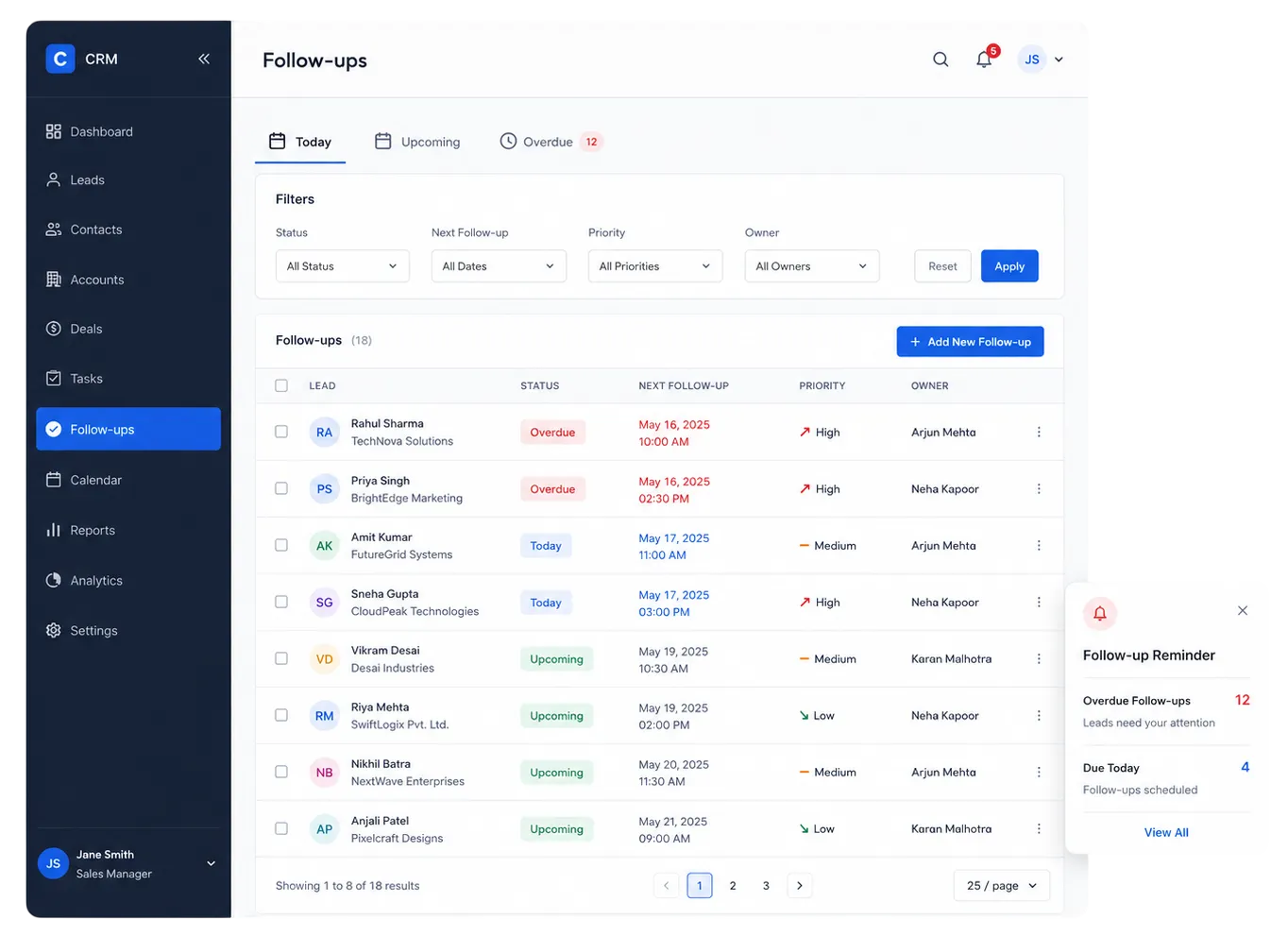
Follow-up Management

Your Sales Team Knows Exactly Who to Call Today.

Management sees overdue follow-ups the moment they slip, so fewer opportunities fall through the cracks.

  • Follow-up reminders
  • Overdue alerts
  • Task assignment
  • Priority-based lead handling
  • Salesperson activity tracking
  • Daily follow-up visibility

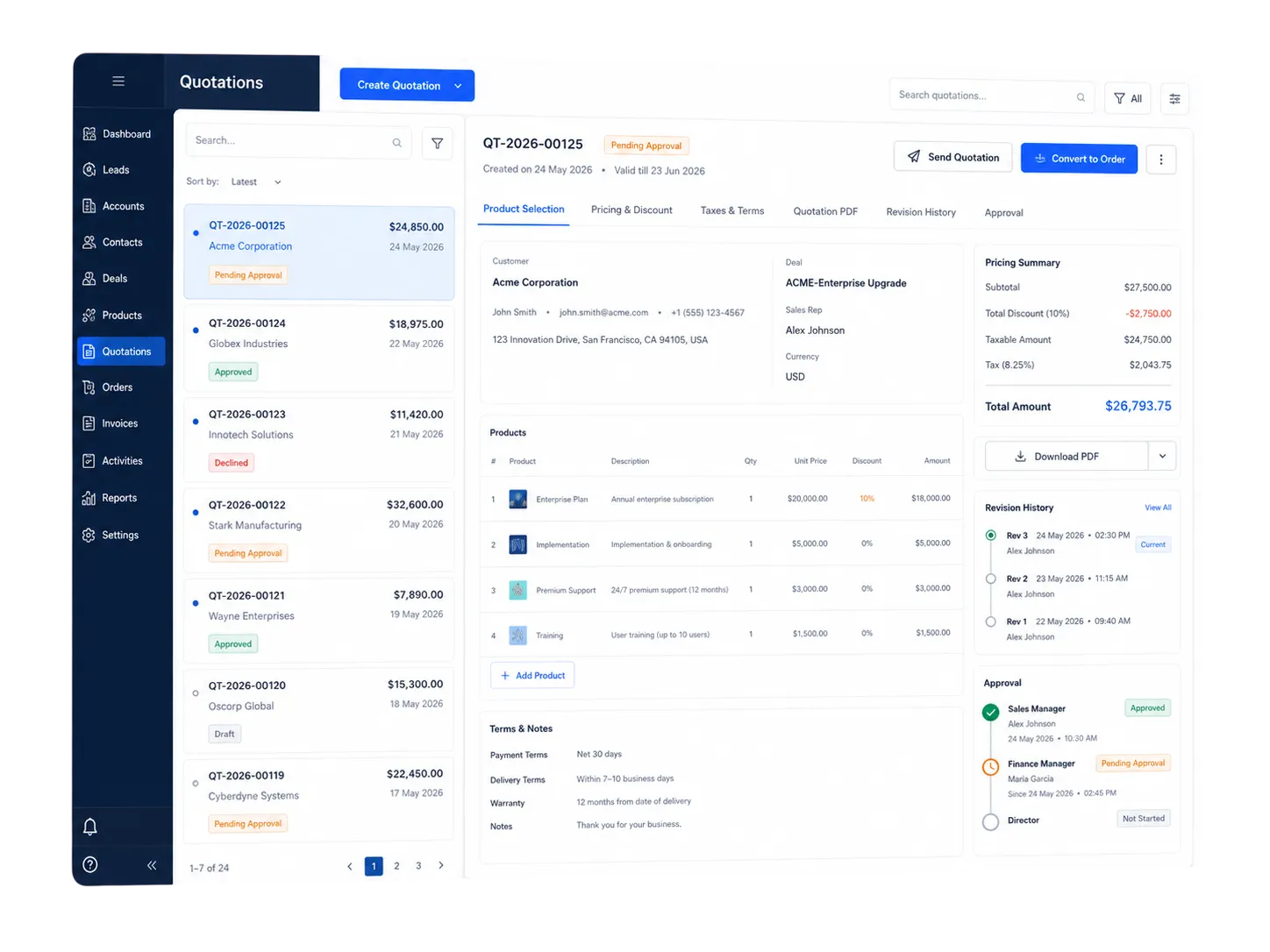
Quotation & Approval

Faster Quotations. Controlled Approvals.

Management sees overdue follow-ups the moment they slip, so fewer opportunities fall through the cracks.

  • Create quotation
  • Product selection
  • Pricing & discount
  • Taxes & terms
  • Quotation PDF
  • Send quotation
  • Revision history
  • Discount approval
  • Management approval
  • Convert to order
Faster Quotations. Controlled Approvals.

Cross-Team Visibility

One CRM. Your Entire Team Connected.

Sales

Manage enquiries, leads, follow-ups and quotations.

Management

Monitor performance and approve important transactions.

Accounts

Track payment approvals, pending payments and financial status.

Product / Operations

Process confirmed orders and update progress.

Dispatch

Track ready orders and dispatch details.

Installation / Service

Manage installation, completion and service activities.

Admin

Control users, roles, permissions and system settings.

Customer

Receives updates and a consistent experience end to end.

For the Owner's Desk

Know What's Happening in Your Business Without Asking Anyone.

Open one dashboard and understand your entire business.

Know What's Happening in Your Business Without Asking Anyone.

Automation

Let CRM Handle the Repetitive Work.

01

Automatic Lead Capture

Every new enquiry becomes a lead instantly.

02

Automatic Lead Assignment

Routed to the right salesperson by rule.

03

Follow-up Reminders

Never let a lead go cold.

04

Overdue Alerts

Flags the moment a follow-up slips.

05

Approval Notifications

Quotation and discount approvals routed instantly.

06

Order Notifications

Keeps operations and dispatch in sync.

07

Payment Reminders

Reduces missed follow-ups on dues.

08

Task Notifications

Assigned tasks reach the right person.

09

WhatsApp & Email Alerts

Updates on the channels your team already uses.

Who It's For

Built for Businesses That Need Better Control

Manufacturing
Trading
Distribution
Industrial Equipment
Machinery
B2B Sales
Dealers & Distributors
Service Companies
Multi-Branch Businesses
Project-Based Companies
Built Around You

Not Every Business Works the Same. Your CRM Shouldn't Either.

Netsol IT Solutions configures the CRM around how your business already runs — not the other way around.

Your sales process
Approval hierarchy
Departments
Products
Branches
User roles
Reports & dashboards
Existing software & API integrations
Discuss My CRM Requirement
YOUR BUSINESS
AT THE CENTER
Your sales process
Approval hierarchy
Products
Branches
What Changes

What Changes After Implementing Netsol CRM?

Fewer Missed Leads
Faster Follow-ups
Better Sales Visibility
Faster Approvals
Centralized Customer Data
Better Team Accountability
Connected Departments
Real-Time Reporting
Better Customer Experience
More Control for Management
Free Demo

See How CRM Can Work for Your Business

Tell us how you currently manage your business. Our team will show you how the same process can be automated in Netsol CRM.




    Frequently Asked Questions

    What is CRM software?+
    CRM (Customer Relationship Management) software is a system that helps businesses capture enquiries, track follow-ups, manage quotations and orders, and keep every customer interaction organised in one place instead of Excel sheets and WhatsApp chats.
    Who should use Netsol CRM?+
    Netsol CRM is built for Indian SMEs such as manufacturers, traders, distributors, dealers, industrial suppliers and B2B service companies that receive enquiries from multiple sources and manage sales, orders and dispatch manually.
    Can Netsol CRM capture IndiaMART leads automatically?+
    Yes, Netsol CRM can be configured to capture IndiaMART enquiries automatically through IndiaMART's lead integration so they enter your CRM as soon as they arrive.
    Can TradeIndia enquiries be integrated?+
    Yes, TradeIndia enquiries can be integrated into Netsol CRM so they are captured centrally along with your other lead sources.
    Can website leads automatically enter the CRM?+
    Yes, enquiry forms on your website can be connected to Netsol CRM so every submission creates a lead automatically.
    Can Meta and Google leads be managed?+
    Yes, leads from Meta Ads and Google Ads lead forms can be routed into Netsol CRM and assigned to your sales team.
    Can I assign leads to different salespeople?+
    Yes, leads can be assigned manually or automatically to specific salespeople or teams based on rules you define, such as source, location or product.
    Can managers track salesperson follow-ups?+
    Yes, management can see every follow-up scheduled, completed or overdue for each salesperson from a single dashboard.
    Does the CRM manage quotations?+
    Yes, you can create quotations with products, pricing, discounts and taxes, generate a PDF, track revisions and route them for approval.
    Can it manage orders after a lead is converted?+
    Yes, once a quotation is approved it can be converted into an order and tracked through approval, payment, processing, dispatch and installation.
    Can we track payments?+
    Yes, payment status and pending payments can be tracked against each order with reminders for follow-up.
    Can we manage dispatch and installation?+
    Yes, Netsol CRM can track dispatch status and installation or service completion as part of the order timeline.
    Can we customize the CRM for our business process?+
    Yes, Netsol IT Solutions configures the CRM around your existing sales process, approval hierarchy, departments and reporting needs rather than asking you to change how you work.
    Can multiple branches use the CRM?+
    Yes, the CRM can be configured for multi-branch businesses with branch-wise visibility and reporting.
    Can we integrate WhatsApp?+
    WhatsApp integration for notifications and enquiry capture is possible and can be scoped as part of your CRM implementation.
    Can we integrate WhatsApp?+
    WhatsApp integration for notifications and enquiry capture is possible and can be scoped as part of your CRM implementation.
    Can the CRM integrate with our existing ERP/software?+
    Integration with existing ERP, accounting or other business software is evaluated case by case based on the systems involved and is often possible through APIs.
    How long does CRM implementation take?+
    Timelines depend on how much customisation your process needs. Our team will give you a clear timeline after understanding your requirement during the free demo.
    Can we request a demo?+
    Yes, you can book a free personalised demo where our team walks through how Netsol CRM would work for your specific business process.